
Insights & Documents

White-Label MCP Server

Your data and documents, inside the AI tools your team already uses.

LipiCore Insights and LipiCore Documents each include an MCP server that runs inside your own infrastructure. Your endpoints, your access keys. Your team asks in the AI tools they already use and gets answers from the business data and documents indexed in LipiCore.

ChatGPT Claude Cursor Any MCP client
Runs in Your Infrastructure Your Access Keys Revocable Anytime

The same LipiCore data, in every client your team opens.

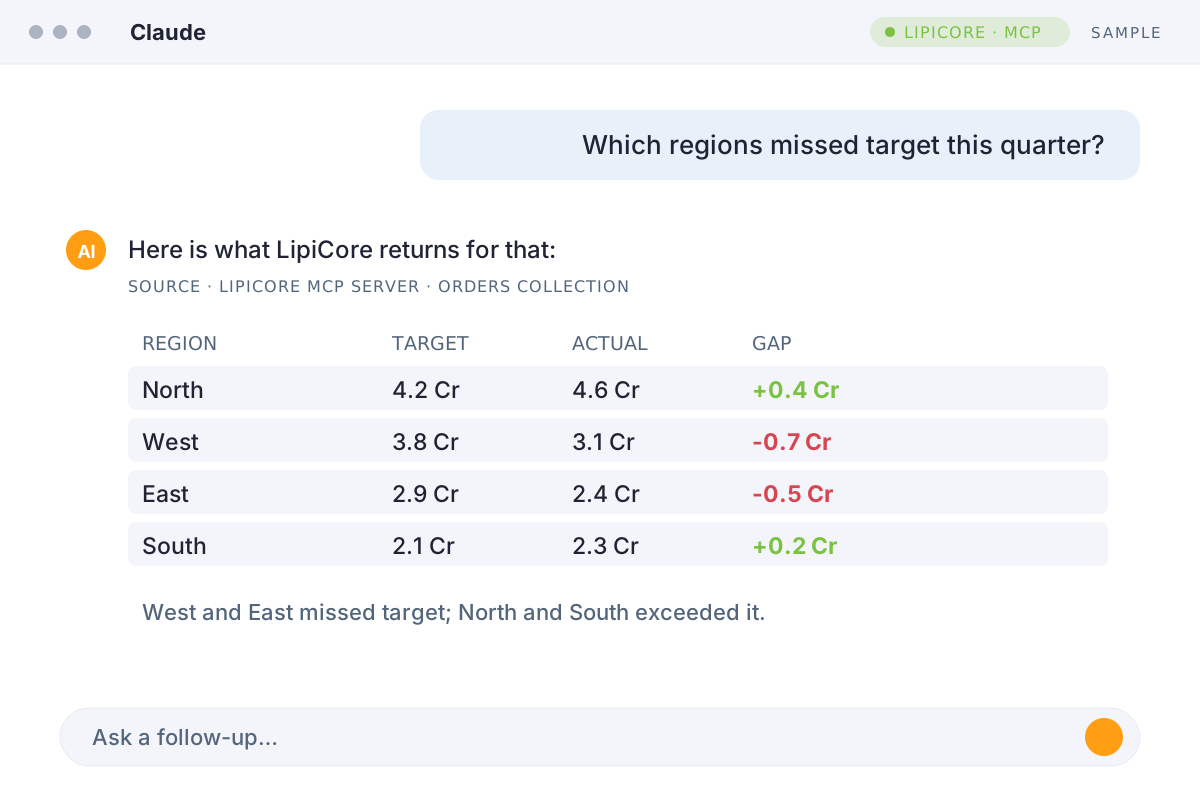
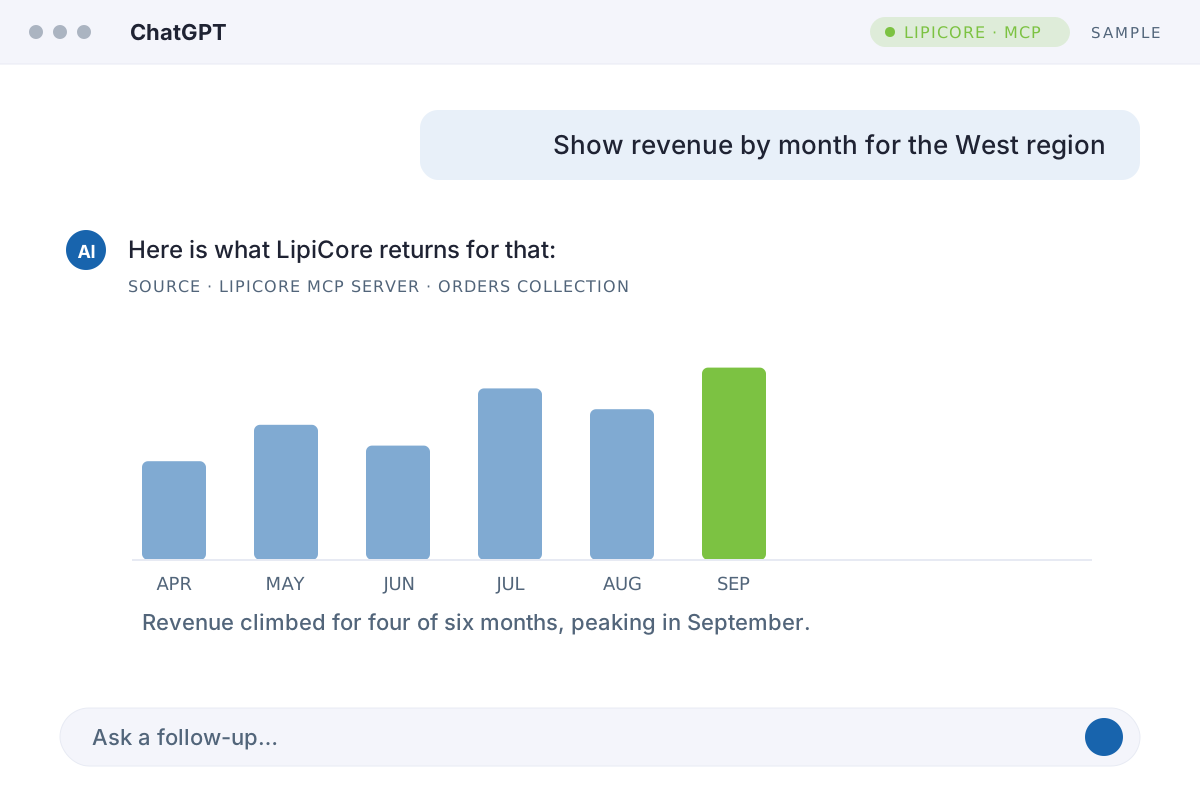
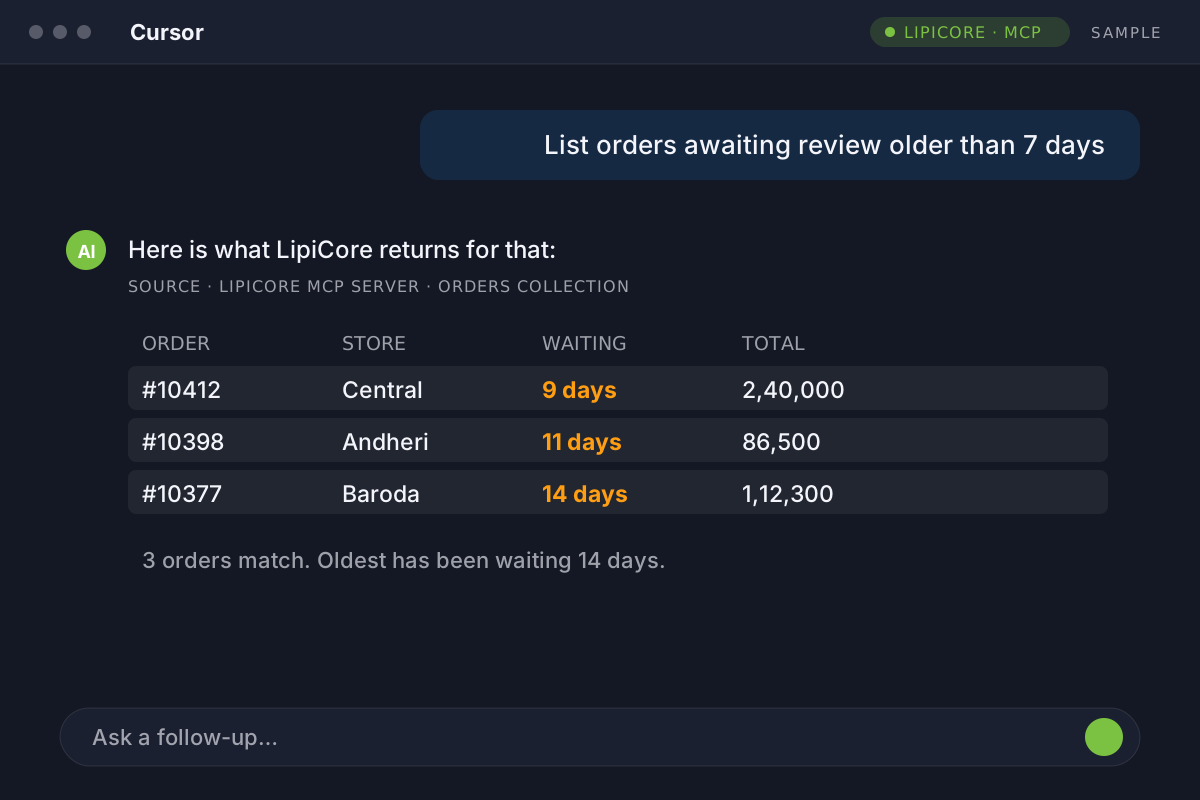
Once the MCP server is connected, the question is asked wherever the work already happens. Claude, ChatGPT and Cursor each shape the answer their own way - the numbers underneath come from the same indexed data in LipiCore.

Sample: Claude answering a regional sales question from LipiCore data with a table
Ask in plain English. Claude pulls the matching records from LipiCore and answers with a short summary and a table.

One for your business data. One for your documents.

Each product brings its own MCP server, so an AI client can work with numbers and with documents. Connect one or both. They run side by side on the same LipiCore Engine.

Your Business Data

LipiCore Insights MCP Server

Search, filter and aggregate the collections indexed in LipiCore Engine, such as orders, customers, products and invoices. Results come back as actual values, ready for a chart, a table or a summary.

“Create a report of orders, revenue and product mix for last quarter.”

Collections Search & filters Aggregations Trends & forecasts
Explore Insights AI
Your Documents

LipiCore Documents MCP Server

Find which documents are about a topic, read the passages that say it, or ask for a ready answer with citations. Every result carries the document and the page it came from.

“What does our handbook say about filing an expense claim?”

Workspaces Document search Passages Cited answers
Explore Documents AI

What you get with LipiCore MCP Server

The connection, the boundary and the keys are all part of your LipiCore deployment. The AI client is the only thing your team adds.

One protocol for data and documents

Connect ChatGPT, Claude, Cursor and other MCP-compatible clients to the business data and documents already indexed in LipiCore, without a separate integration for every AI tool.

Structured results, ready to work with

Connected clients receive structured results rather than a block of text to interpret: actual values from your business data, and exact passages with their page from your documents.

Built on LipiCore Engine

AI clients work with what is indexed in LipiCore Engine for search, filtering, aggregations and questions, instead of connecting directly to your production database or file shares.

Runs inside your infrastructure

Each MCP server runs as part of your LipiCore deployment. Your endpoints, your access credentials and your infrastructure remain under your control.

Bring your own AI

Use ChatGPT, Claude, Cursor or another MCP-compatible client. LipiCore works with the AI tools and models your organization prefers, without tying your data layer to a single AI provider.

White-label by design

Deploy the MCP capability as part of your own product or platform while keeping your brand and customer experience front and center.

Frequently asked questions

MCP (Model Context Protocol) is an open standard that lets AI clients connect to external data sources. LipiCore Insights and LipiCore Documents each run an MCP server inside your infrastructure, so AI clients can work with the business data and documents already indexed in LipiCore, without a custom integration built for each client.

Read more →

Each product has its own. The MCP server in LipiCore Insights answers from your indexed business data, and the one in LipiCore Documents answers from your documents. Each has its own endpoint, so you can connect one or both, and an AI client can use them side by side.

MCP-compatible clients such as ChatGPT, Claude and Cursor can connect to LipiCore. You add a LipiCore endpoint and its access key in the client, and it can work with what is indexed in LipiCore.

No. AI clients connect only to the LipiCore MCP Server, which works from the data already indexed in LipiCore. Your production database is not exposed to the client, and it carries no additional load when your team works through an AI tool.

Read more →

The AI Assistants are the conversational experiences built into LipiCore Insights and LipiCore Documents. The MCP servers bring the same indexed data and documents into the AI clients your team already uses, such as ChatGPT, Claude and Cursor. You can use either one or both.

The LipiCore MCP servers and everything they index stay inside your infrastructure. When an AI client requests information, only the requested results are sent to that client and handled according to your agreement with its AI provider. LipiCore does not send data anywhere on its own.

Read more →

Connecting an AI client requires a LipiCore endpoint and an access key issued from your own deployment. You can rotate or revoke access keys at any time. No key, no connection.

An MCP server is included with LipiCore Insights and with LipiCore Documents, and both work on LipiCore Engine. If you already use either product, contact our team to have it enabled for your deployment. If you are new to LipiCore, explore the demo and we will show you how it works with your data.

For teams that do not work in AI clients.

Not everyone works in AI clients like ChatGPT, Claude or Cursor. The AI Assistants built into LipiCore Insights and LipiCore Documents give business teams the same answers inside LipiCore, with no AI client to configure.